> ## Documentation Index
> Fetch the complete documentation index at: https://realsite.ca/docs/llms.txt
> Use this file to discover all available pages before exploring further.
# Sections & schema
> The arrangeable building blocks: Liquid + an embedded JSON schema.
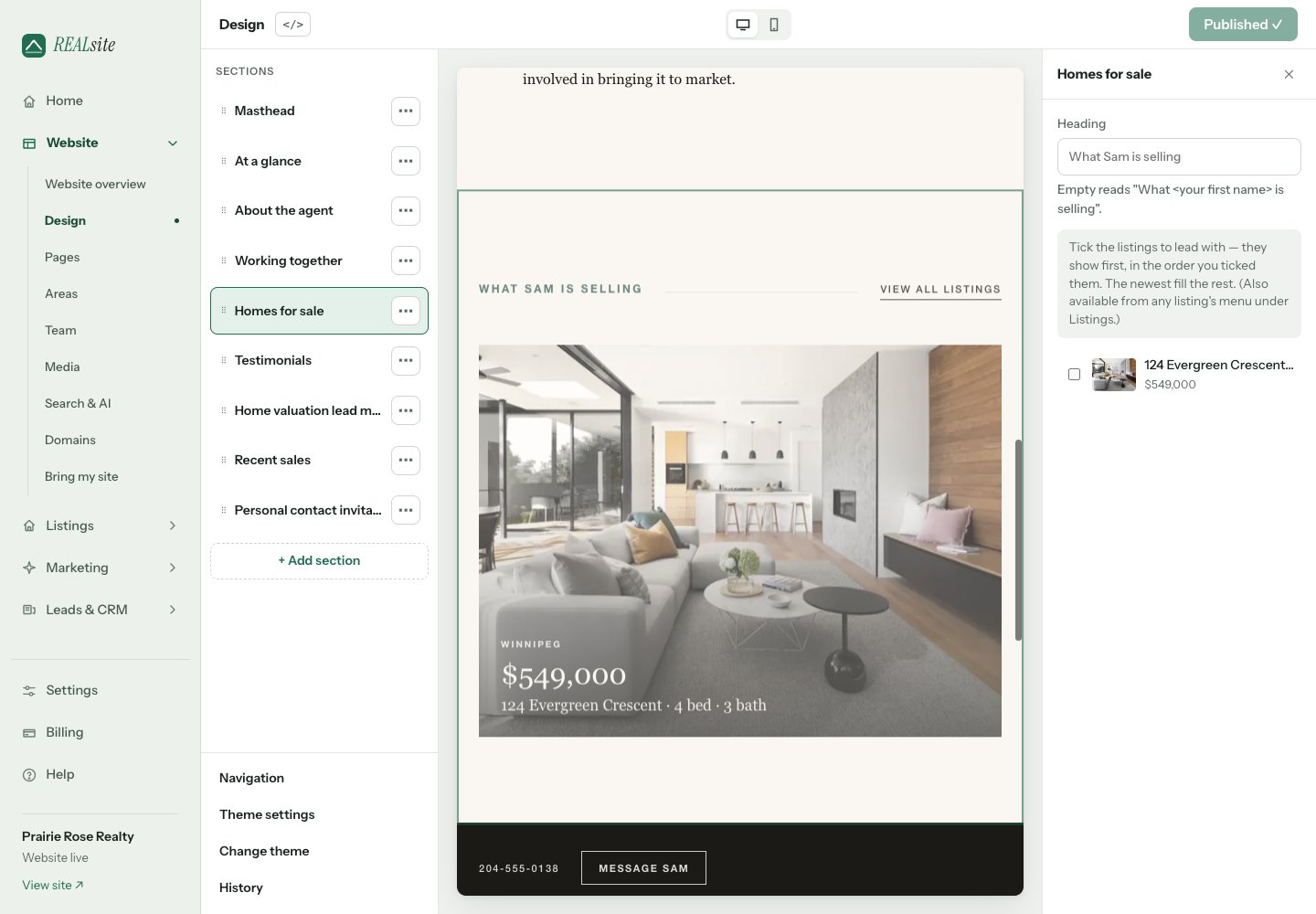
A section is a Liquid file in `sections/` with an embedded `{% schema %}`
block declaring its settings. Owners arrange sections and fill in settings
from the Design editor; your Liquid renders the result.
## A complete section
```liquid theme={null}
{% if section.settings.heading != blank %}
{{ section.settings.heading | escape }}
{% endif %}
{{ section.settings.body | escape }}
{% schema %}
{
"name": "Welcome",
"settings": [
{ "id": "heading", "type": "text", "label": "Heading", "default": "" },
{ "id": "body", "type": "textarea", "label": "Body",
"note": "Shown under the heading." }
]
}
{% endschema %}
```
Inside a section, `section.settings.` reads each value — schema
defaults, overridden by whatever the owner saved.
## Setting types
`text`, `textarea`, `select` (with `options`), `checkbox`, `image`,
`palette` (theme-level colour scheme picker), and numeric text. Every
setting takes `label`, optional `default`, optional `note` (shown as help
text), optional `placeholder`. A `text` setting that lands inside an
attribute (an input's value, a URL) should declare `"inline": false` so the
design editor doesn't wrap it in an in-place editing marker.
For a section text setting used only as a fallback to `site.tagline`, add
`"overridden_by": "tagline"`. When the site's tagline is populated, Design
shows the shared Tagline editor in place of the unused fallback field. Saving
that shared field updates the website immediately; the section's stored text
is preserved. With an empty tagline, its normal draft/publish field returns.
This optional editor hint does not change Liquid rendering. Declare it only
when your template actually gives `site.tagline` precedence.
## Blocks: a real example
Sections can declare repeatable **blocks** — the owner adds, removes, and
reorders them. This is the platform's actual Testimonials section, in
full — one block per quote:
```liquid theme={null}
{% if section.blocks.size > 0 %}
{{ section.settings.heading | escape }}
{% for block in section.blocks %}
{% if block.type == 'quote' %}
{% endif %}
{% schema %}
{
"name": "Testimonials",
"settings": [
{ "id": "heading", "type": "text", "label": "Heading", "default": "Kind words" }
],
"blocks": [
{ "type": "quote", "name": "Testimonial", "settings": [
{ "id": "quote", "type": "textarea", "label": "Their words" },
{ "id": "name", "type": "text", "label": "Client name" },
{ "id": "context", "type": "text", "label": "Context", "placeholder": "e.g. Bought in Wolseley", "note": "Optional — where or what they bought or sold." }
] }
],
"default_blocks": []
}
{% endschema %}
```
`block.type` matters when a section declares several block kinds; the
platform's `blog-posts` section uses blocks to hand-pick posts by slug.
## Agent homepage sections
| File/type | Name in Design | Saved content |
| - | - | - |
| `agent-masthead` | Masthead | `kicker`, `statement`, `show_about` |
| `agent-letter` | Letter | `kicker`, `statement`, `caption_me` |
| `agent-approach` | Working together | `kicker`, `heading`, `introduction`; `step` blocks with `title` and `text` |
| `agent-invitation` | Personal contact invitation | `heading`, `text`, `button_label` |
The openings also read the shared agent profile from `site`. Changing the
layout should not rename these fields or copy profile content into
hard-coded markup. Keep the existing schemas when overriding either
opening type, including the select values for `show_about`.
Working together starts with editable buying and selling steps. An owner
can replace them with their own services or process. An empty block list
hides the section. Testimonials starts with no quote blocks; it does not
publish invented reviews as defaults.
Personal contact invitation uses `data-contact-open`. Its layout must
provide a dialog with `data-contact-modal`, a close control with
`data-contact-close`, and the platform contact form hooks. The stock layouts
and starter provide this; see [Layouts & templates](/docs/developers/templates#contact-controls-belong-to-the-layout).
## Platform sections
Stock filesystem themes fall back to `themes/shared/sections` when they do
not have a local section with the same name. The shared library includes
`agent-masthead`, `agent-letter`, `agent-approach`, `agent-invitation`,
`proof-strip`, `area-around`, `blog-posts`, `team`, `testimonials` and `image`.
Other sections, such as `featured-listings`, `recent-sales`, `listings-map`,
`home-valuation`, `about-agent` and `text`, ship with each theme.
A local file with the same section name overrides the shared one. A
**detached/custom theme has no shared fallback**: include every referenced
section and snippet in its saved files. Preserve section types and setting
IDs when migrating saved content. Changing a zone's default list does not
replace a site's existing arrangement.
This documentation is built and hosted on [Mintlify](https://mintlify.com), a developer documentation platform.
 ## Blocks: a real example
Sections can declare repeatable **blocks** — the owner adds, removes, and
reorders them. This is the platform's actual Testimonials section, in
full — one block per quote:
```liquid theme={null}
{% if section.blocks.size > 0 %}
## Blocks: a real example
Sections can declare repeatable **blocks** — the owner adds, removes, and
reorders them. This is the platform's actual Testimonials section, in
full — one block per quote:
```liquid theme={null}
{% if section.blocks.size > 0 %}