> ## Documentation Index
> Fetch the complete documentation index at: https://realsite.ca/docs/llms.txt
> Use this file to discover all available pages before exploring further.
# Blog
> The articles that build your name — written by you, or drafted by AI from your own market.
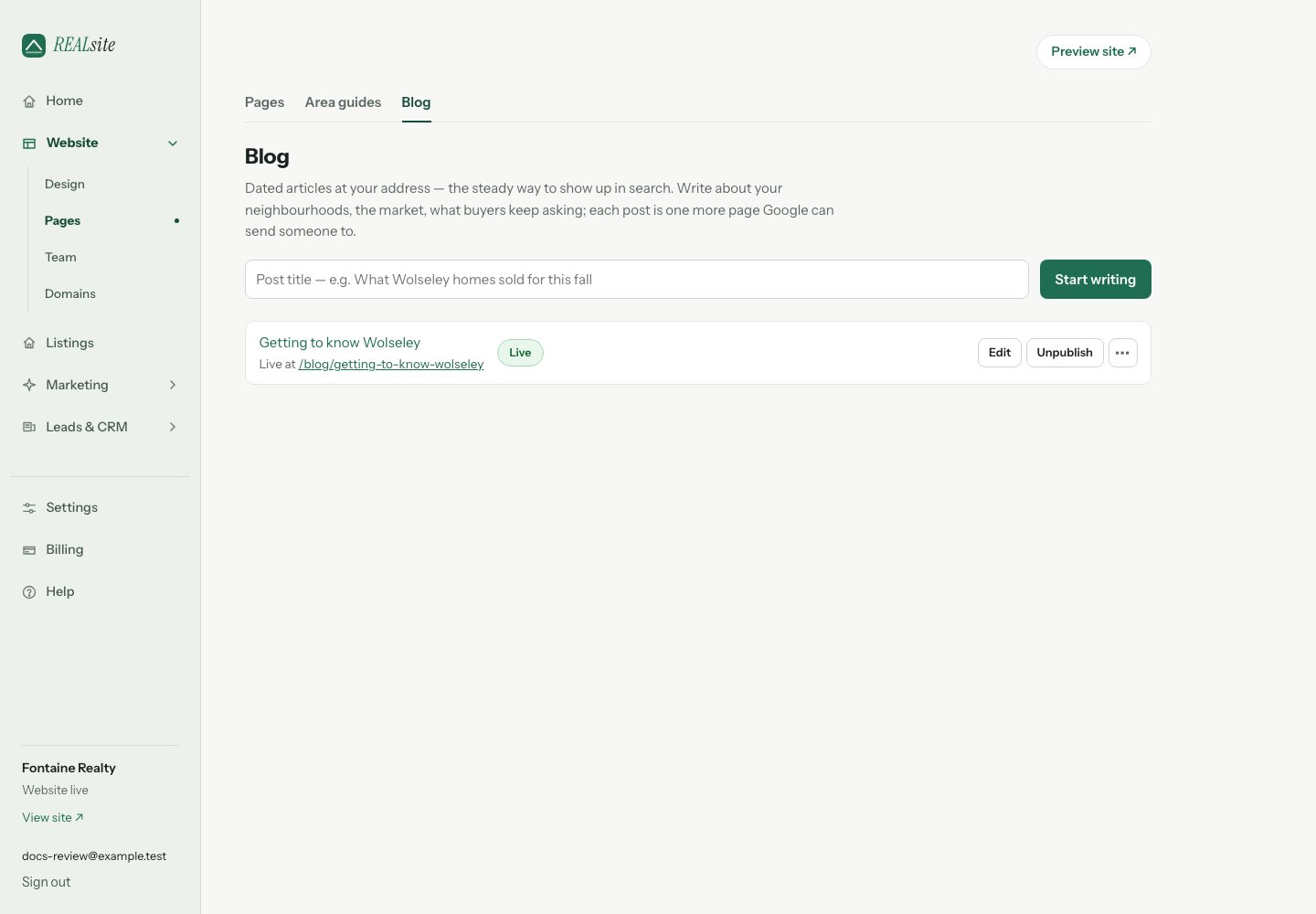 A blog post gets a date and lives under `/blog`. Use articles to answer
questions your clients ask, explain a local market change or share useful
neighbourhood knowledge. Each gives you a page to share and keep building on.
## Writing a post
In **Website → Pages → Blog**, give a post a title and start writing. Blank lines become
paragraphs. Save keeps a draft; choose **Publish** on the post's row to put
it at `/blog/its-title` with proper article markup for search engines once your
website is live. On a coming-soon website, its status is **Saved for launch**;
use **Review site visibility before sharing** when you are ready to go live.
Published posts appear on your `/blog` page and can be featured on your
homepage with the *Latest from the blog* section in **Design**.
## Draft it for me
The hard part was always the blank page — so AI drafts each post from your
own market: your listings, your solds, your neighbourhoods, plus whatever
topic you give it ("winterizing your cottage", "what Wolseley homes sold
for this fall"). The draft arrives unpublished, in your voice, with
placeholders instead of invented numbers. You make it yours, you hit
publish. Nothing goes out without you.
## Sharing
Use **Preview saved article** from a post's action menu to review a saved
draft or published article privately. Articles available to the public get a
**Copy short link** action — a counted link on your own domain for captions
and newsletters. For a live site, publishing also queues
an IndexNow notification to participating search engines. It tells them the
URL changed; they decide whether and when to crawl or include it.
If you have subscribed contacts, a published article also offers **Email list**.
The article must be publicly available before it can be emailed, so subscribers
can open it. Choose **Email list** to review the send. If email setup is incomplete, you can open your
sender details in Settings or keep writing. Email setup is not required to write
or publish an article, and opening setup does not send it.
This documentation is built and hosted on [Mintlify](https://mintlify.com), a developer documentation platform.
A blog post gets a date and lives under `/blog`. Use articles to answer
questions your clients ask, explain a local market change or share useful
neighbourhood knowledge. Each gives you a page to share and keep building on.
## Writing a post
In **Website → Pages → Blog**, give a post a title and start writing. Blank lines become
paragraphs. Save keeps a draft; choose **Publish** on the post's row to put
it at `/blog/its-title` with proper article markup for search engines once your
website is live. On a coming-soon website, its status is **Saved for launch**;
use **Review site visibility before sharing** when you are ready to go live.
Published posts appear on your `/blog` page and can be featured on your
homepage with the *Latest from the blog* section in **Design**.
## Draft it for me
The hard part was always the blank page — so AI drafts each post from your
own market: your listings, your solds, your neighbourhoods, plus whatever
topic you give it ("winterizing your cottage", "what Wolseley homes sold
for this fall"). The draft arrives unpublished, in your voice, with
placeholders instead of invented numbers. You make it yours, you hit
publish. Nothing goes out without you.
## Sharing
Use **Preview saved article** from a post's action menu to review a saved
draft or published article privately. Articles available to the public get a
**Copy short link** action — a counted link on your own domain for captions
and newsletters. For a live site, publishing also queues
an IndexNow notification to participating search engines. It tells them the
URL changed; they decide whether and when to crawl or include it.
If you have subscribed contacts, a published article also offers **Email list**.
The article must be publicly available before it can be emailed, so subscribers
can open it. Choose **Email list** to review the send. If email setup is incomplete, you can open your
sender details in Settings or keep writing. Email setup is not required to write
or publish an article, and opening setup does not send it.
This documentation is built and hosted on [Mintlify](https://mintlify.com), a developer documentation platform.