> ## Documentation Index
> Fetch the complete documentation index at: https://realsite.ca/docs/llms.txt
> Use this file to discover all available pages before exploring further.
# Lead-generation pages
> Create a focused page, review it, then share it to capture enquiries or offer a guide.
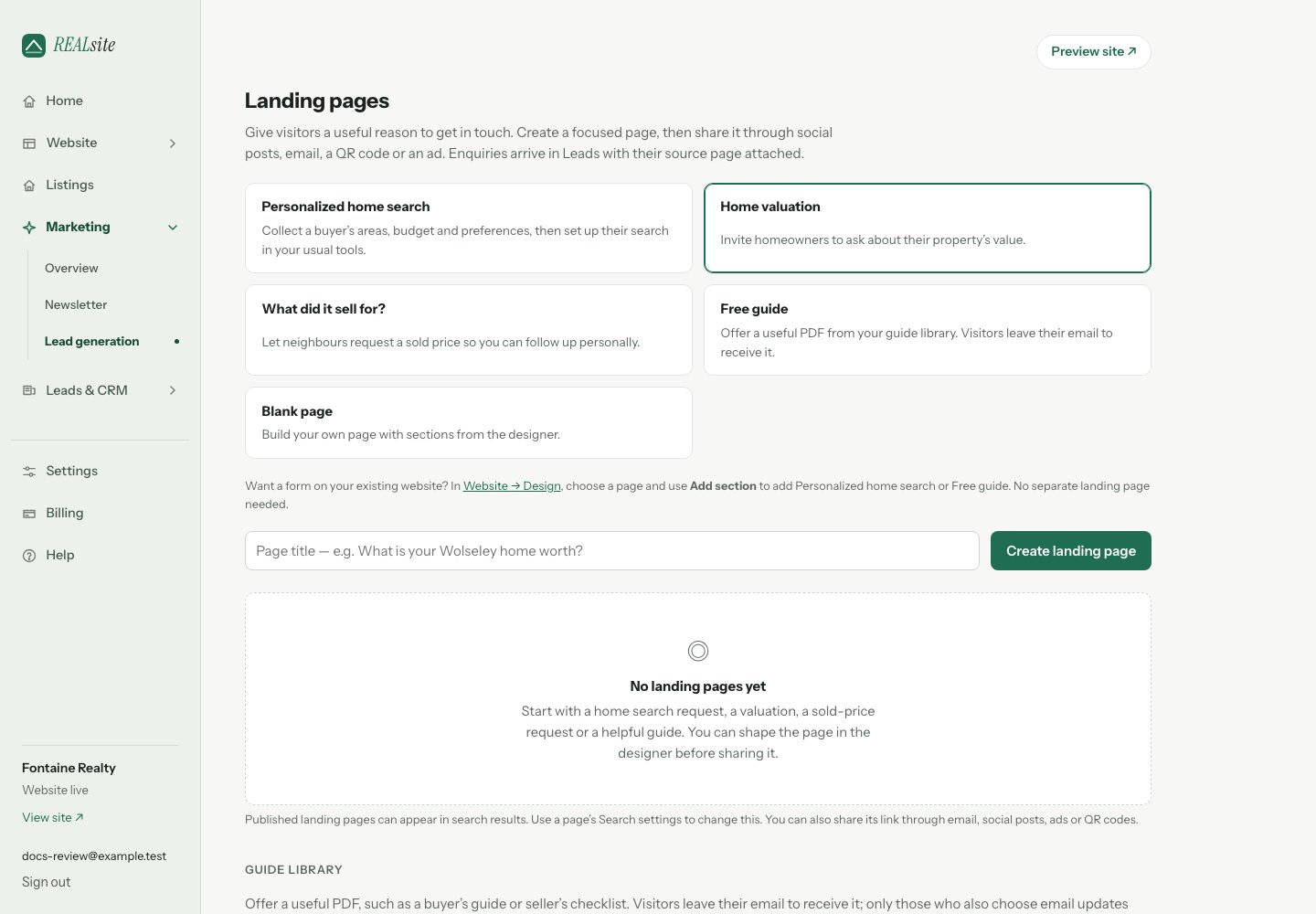 A landing page gives a visitor one clear invitation: ask about their home's
value, request a personalized home search, request a sold price or download a useful guide. Share it in a social
post, your email signature, a QR code or an ad. You do not need to buy ads
to use it.
## Create and review your page
Open **Marketing → Lead generation**, choose a starting point and name your
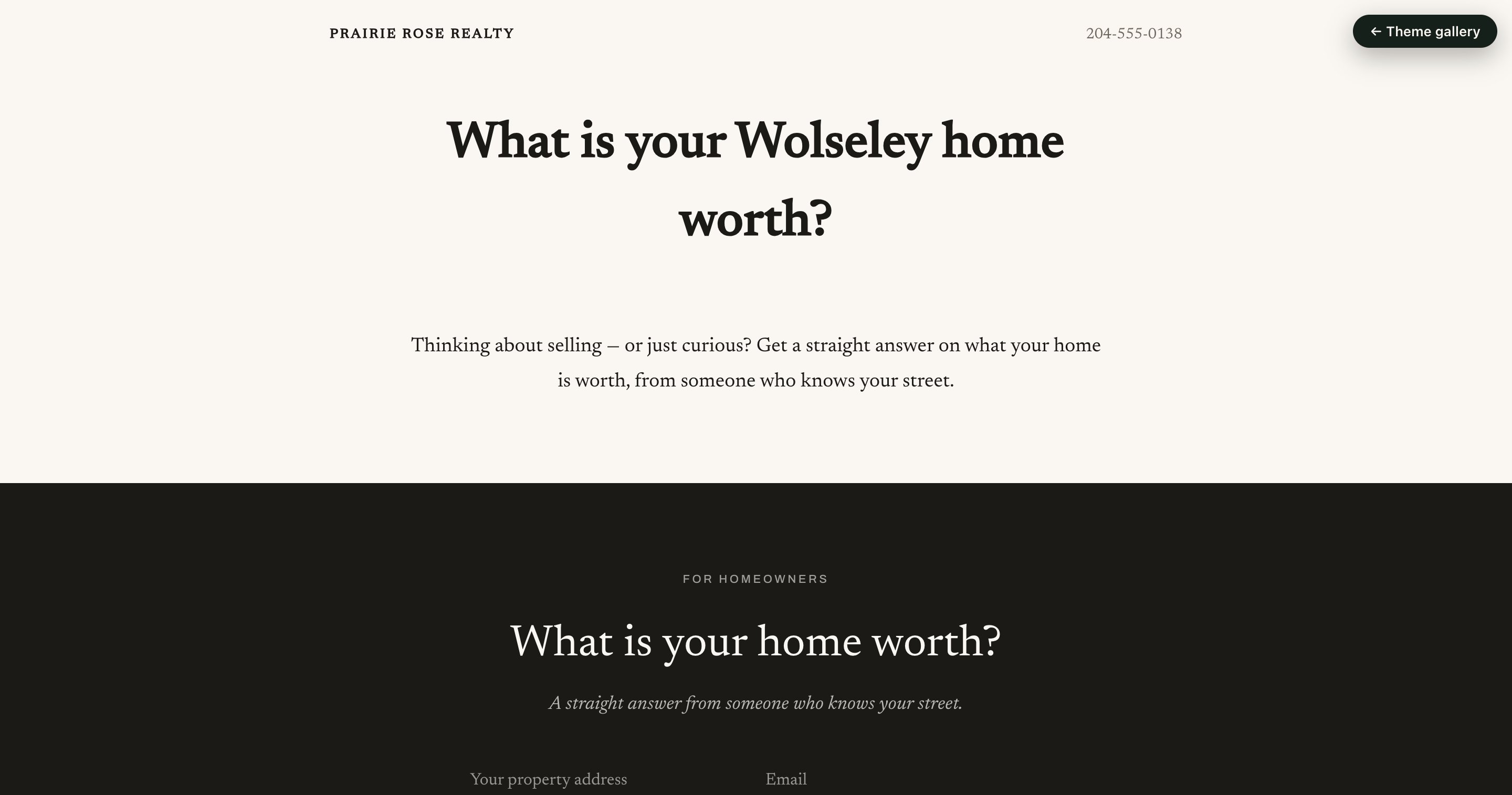
page. Use a title that tells people what they will get, such as
"What is your Wolseley home worth?"
* **Personalized home search** — collect areas, budget and optional preferences.
Review the request in Leads, copy the search brief, then set up the search
in Matrix / OneHome or your usual tool and invite the buyer there. Search
alerts do not start when this form is submitted.
* **Home valuation** — an introduction and a form for a property-value enquiry.
* **What did it sell for?** — a form requesting a sold price. You provide the
answer personally, using information you are authorized to share.
* **Free guide** — choose a PDF from your guide library. If the library is
empty, upload your guide first, then return to create the page.
* **Blank page** — start with an empty page and add sections yourself.
Every preset starts as a **draft** and opens in **Design**. Review the words,
selected guide and form, then choose **Publish page** when it is ready.
You can change the sections and their design with the same editor used for
your website. **Preview** opens an authenticated preview while you work.
You can also add these forms to an existing website page. Open **Website →
Design**, choose the page, then **Add section** and select **Personalized home
search**, **Home valuation lead magnet**, **What did it sell for?** or **Free guide**.
A separate landing page is optional.
## Published and ready to share
A page's publication setting and your website's visibility are separate.
If the website is still coming soon, a published page on its address is
**Saved for launch**. Use **Review site visibility** to open Settings,
choose **Live**, then save. Check the public page before sharing it.
An active, verified domain connected directly to a landing page can serve
that page independently while the main website is coming soon. Your
account must still have an active trial or subscription. A **Not public**
status with **Review billing** points to an account that needs attention.
When a page on your main site is publicly available, its action menu offers
**Copy short link** for a counted link you can share. A page with its own
verified domain offers **Copy link** to that domain directly, so sharing
works even while the main site is coming soon. Clicks are useful activity signals; they do not establish
that a visitor became a customer.
## Your guide library
Upload a PDF of up to **15 MB**, such as a buyer's guide or seller's checklist.
You can select it in the **Free guide** preset, or choose **Make a landing page**
beside the uploaded guide to create a draft with that PDF already selected.
The **Free guide** section in Design also lets you offer it on another page.
A visitor submits their details to receive the download and becomes a
contact. Requesting the guide does not automatically subscribe them to
marketing emails; that uses the separate email-updates choice when offered.
Review the form and selected file in preview before publishing.
## A domain for a campaign
Choose **Domain settings** beside the page to connect a domain you own or
buy one through REALsite Domains. New `.ca` and `.com` registration and
renewal are charged separately. The verified domain opens this page directly;
your complete website keeps its own address. Use **Copy link** to share the
page at that domain.
## Follow up on the result
Enquiries appear in **Leads & CRM → Leads** with their source page, and the
Landing pages list shows the number attributed to each page. Open the
contact to read the request, record a note and set a follow-up reminder.
[Walk through your first enquiry](/docs/help/walkthrough-first-lead).
Landing pages omit the usual navigation to keep the invitation focused.
Published landing pages allow search indexing by default, so they can appear
in Google and other search results. This does not guarantee inclusion or ranking.
Open the page’s action menu and choose **Search settings** to add a search
description or turn off **Allow search engines to index this page**, then
**Save**. Turning it off asks search engines to exclude the page and removes
it from the sitemap; the published page remains public and accessible by link.
Search engines may take time to reflect a change. Draft pages stay private.
A landing page gives a visitor one clear invitation: ask about their home's
value, request a personalized home search, request a sold price or download a useful guide. Share it in a social
post, your email signature, a QR code or an ad. You do not need to buy ads
to use it.
## Create and review your page
Open **Marketing → Lead generation**, choose a starting point and name your
page. Use a title that tells people what they will get, such as
"What is your Wolseley home worth?"
* **Personalized home search** — collect areas, budget and optional preferences.
Review the request in Leads, copy the search brief, then set up the search
in Matrix / OneHome or your usual tool and invite the buyer there. Search
alerts do not start when this form is submitted.
* **Home valuation** — an introduction and a form for a property-value enquiry.
* **What did it sell for?** — a form requesting a sold price. You provide the
answer personally, using information you are authorized to share.
* **Free guide** — choose a PDF from your guide library. If the library is
empty, upload your guide first, then return to create the page.
* **Blank page** — start with an empty page and add sections yourself.
Every preset starts as a **draft** and opens in **Design**. Review the words,
selected guide and form, then choose **Publish page** when it is ready.
You can change the sections and their design with the same editor used for
your website. **Preview** opens an authenticated preview while you work.
You can also add these forms to an existing website page. Open **Website →
Design**, choose the page, then **Add section** and select **Personalized home
search**, **Home valuation lead magnet**, **What did it sell for?** or **Free guide**.
A separate landing page is optional.
## Published and ready to share
A page's publication setting and your website's visibility are separate.
If the website is still coming soon, a published page on its address is
**Saved for launch**. Use **Review site visibility** to open Settings,
choose **Live**, then save. Check the public page before sharing it.
An active, verified domain connected directly to a landing page can serve
that page independently while the main website is coming soon. Your
account must still have an active trial or subscription. A **Not public**
status with **Review billing** points to an account that needs attention.
When a page on your main site is publicly available, its action menu offers
**Copy short link** for a counted link you can share. A page with its own
verified domain offers **Copy link** to that domain directly, so sharing
works even while the main site is coming soon. Clicks are useful activity signals; they do not establish
that a visitor became a customer.
## Your guide library
Upload a PDF of up to **15 MB**, such as a buyer's guide or seller's checklist.
You can select it in the **Free guide** preset, or choose **Make a landing page**
beside the uploaded guide to create a draft with that PDF already selected.
The **Free guide** section in Design also lets you offer it on another page.
A visitor submits their details to receive the download and becomes a
contact. Requesting the guide does not automatically subscribe them to
marketing emails; that uses the separate email-updates choice when offered.
Review the form and selected file in preview before publishing.
## A domain for a campaign
Choose **Domain settings** beside the page to connect a domain you own or
buy one through REALsite Domains. New `.ca` and `.com` registration and
renewal are charged separately. The verified domain opens this page directly;
your complete website keeps its own address. Use **Copy link** to share the
page at that domain.
## Follow up on the result
Enquiries appear in **Leads & CRM → Leads** with their source page, and the
Landing pages list shows the number attributed to each page. Open the
contact to read the request, record a note and set a follow-up reminder.
[Walk through your first enquiry](/docs/help/walkthrough-first-lead).
Landing pages omit the usual navigation to keep the invitation focused.
Published landing pages allow search indexing by default, so they can appear
in Google and other search results. This does not guarantee inclusion or ranking.
Open the page’s action menu and choose **Search settings** to add a search
description or turn off **Allow search engines to index this page**, then
**Save**. Turning it off asks search engines to exclude the page and removes
it from the sitemap; the published page remains public and accessible by link.
Search engines may take time to reflect a change. Draft pages stay private.
 ***
Everything in these docs is included in the one plan — $99/month, MLS® listings
synced through DDF®, and your first three months are $1.
[Request an invite](https://realsite.ca/request-invite).
This documentation is built and hosted on [Mintlify](https://mintlify.com), a developer documentation platform.
***
Everything in these docs is included in the one plan — $99/month, MLS® listings
synced through DDF®, and your first three months are $1.
[Request an invite](https://realsite.ca/request-invite).
This documentation is built and hosted on [Mintlify](https://mintlify.com), a developer documentation platform.