> ## Documentation Index
> Fetch the complete documentation index at: https://realsite.ca/docs/llms.txt
> Use this file to discover all available pages before exploring further.
# Search & AI visibility
> Help search engines and AI assistants understand your site — and measure the visits they send.
 When someone searches Google — or asks an AI assistant — about buying in your
neighbourhood, REALsite gives your pages the technical signals that can help
them be discovered and understood. Placement or citation is never guaranteed;
most of the technical setup needs nothing from you.
## What every site does automatically
* **Structured data** — your agent profile, listings and blog posts include
machine-readable descriptions alongside the visible content.
* **Sitemaps with freshness dates** — public URLs and modification dates help
crawlers discover your content.
* **Change notifications** — on a live site, publishing pages or posts and
syncing listings can queue IndexNow notifications to participating search
engines. These notifications do not confirm that a page has been indexed.
* **An AI-readable summary** — your site publishes `/llms.txt`, a plain
digest of who you are, your areas, and your live listings, built for AI
assistants to read.
## What you control in Search & AI
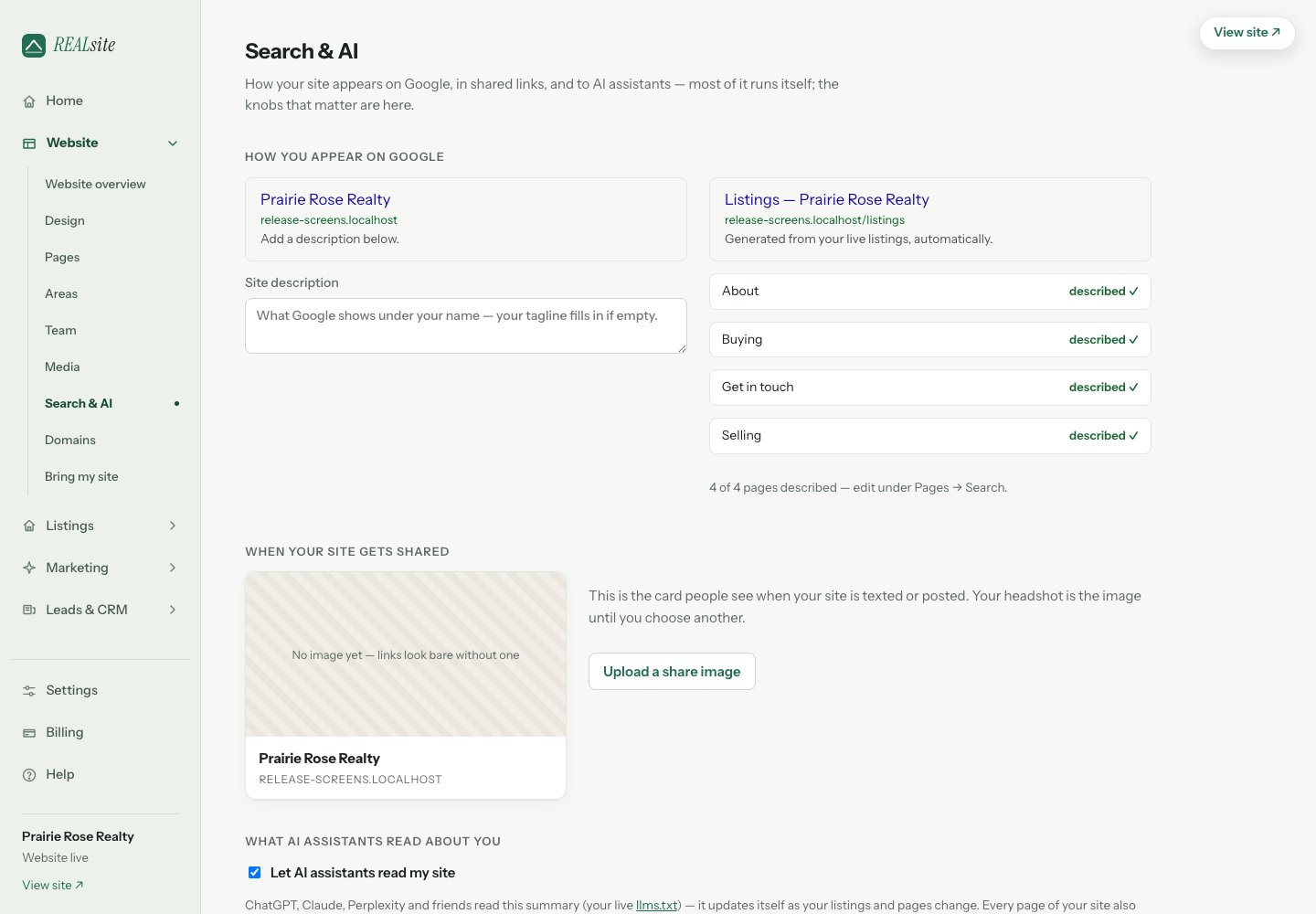
Open **Settings → Search & AI visibility** to edit your meta description, social links,
Google site verification, analytics IDs (GA4, Meta pixel) and share image.
Keep these consistent with your public profile and the pages visitors read.
**Let assistants read my site** is on by default. Turning it off removes
the AI-readable summary and asks the listed AI crawlers to stay out through
`robots.txt`. Crawlers choose whether to honour that request; it does not
make public pages private.
## Watching it work
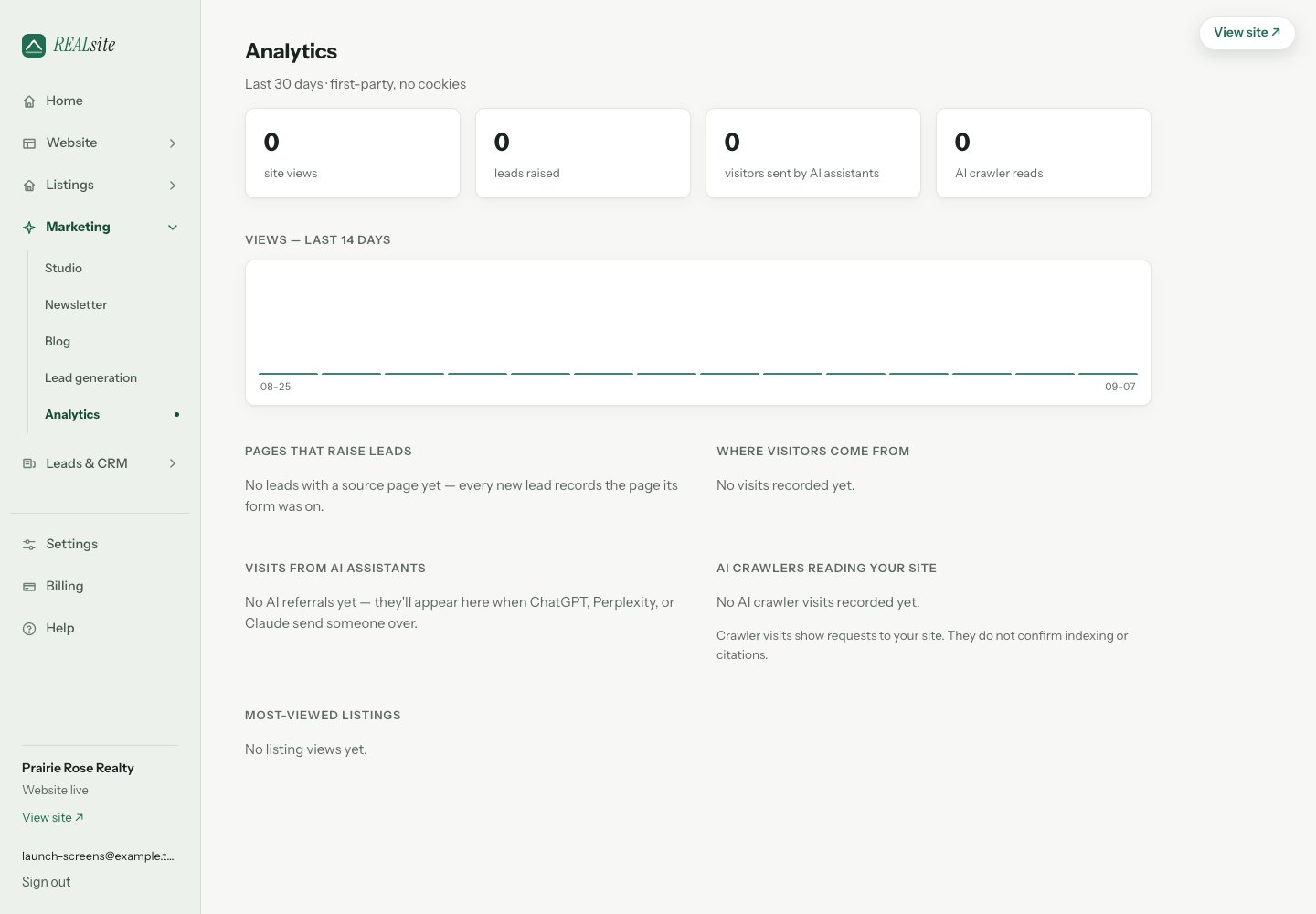
Open **Website → View analytics** to review identifiable AI referrals, observed
AI crawler requests and search, social and direct traffic. A crawler request
shows that a request reached the site, not that an answer cited you. Referrals
show visits attributed to a source, not every appearance in search or AI answers.
Built-in analytics uses your site's own activity; GA4 and Meta are optional
separate integrations.
When someone searches Google — or asks an AI assistant — about buying in your
neighbourhood, REALsite gives your pages the technical signals that can help
them be discovered and understood. Placement or citation is never guaranteed;
most of the technical setup needs nothing from you.
## What every site does automatically
* **Structured data** — your agent profile, listings and blog posts include
machine-readable descriptions alongside the visible content.
* **Sitemaps with freshness dates** — public URLs and modification dates help
crawlers discover your content.
* **Change notifications** — on a live site, publishing pages or posts and
syncing listings can queue IndexNow notifications to participating search
engines. These notifications do not confirm that a page has been indexed.
* **An AI-readable summary** — your site publishes `/llms.txt`, a plain
digest of who you are, your areas, and your live listings, built for AI
assistants to read.
## What you control in Search & AI
Open **Settings → Search & AI visibility** to edit your meta description, social links,
Google site verification, analytics IDs (GA4, Meta pixel) and share image.
Keep these consistent with your public profile and the pages visitors read.
**Let assistants read my site** is on by default. Turning it off removes
the AI-readable summary and asks the listed AI crawlers to stay out through
`robots.txt`. Crawlers choose whether to honour that request; it does not
make public pages private.
## Watching it work
Open **Website → View analytics** to review identifiable AI referrals, observed
AI crawler requests and search, social and direct traffic. A crawler request
shows that a request reached the site, not that an answer cited you. Referrals
show visits attributed to a source, not every appearance in search or AI answers.
Built-in analytics uses your site's own activity; GA4 and Meta are optional
separate integrations.
 This documentation is built and hosted on [Mintlify](https://mintlify.com), a developer documentation platform.