

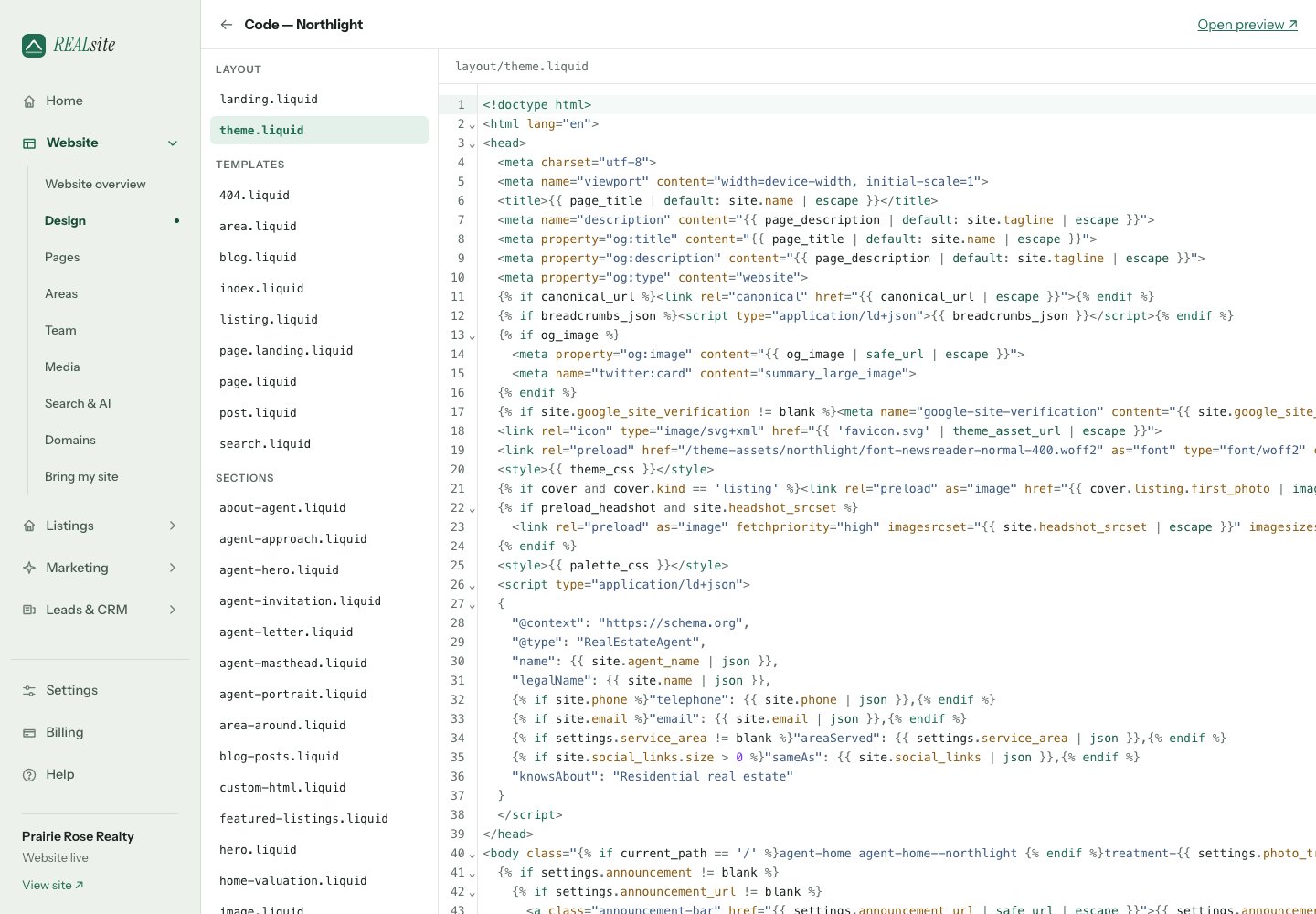
Design → Code: the full theme, editable in the browser.
The philosophy
- Full code ownership. Detach any theme and every template is yours to edit in the built-in code editor — or build a theme from scratch. There is no locked layer.
- No developer tier, no revenue share. Agencies pay nothing extra, and client sites never carry REALsite branding.
- Sections are the contract. Owners arrange sections in the Design editor; you author those sections. A theme decides how much freedom to hand over — a template can expose an arrangeable zone or be pure developer-authored Liquid. Both are first-class.
Theme anatomy
Agent homepages use the same Liquid system
The eleven stock themes each present the agent’s profile through Liquid layouts, templates, sections and snippets. The homepage refresh does not introduce a separate page builder or a different data store. Agent identity comes fromsite.agent_name, site.headshot_url, site.tagline and
site.about; listing data continues through the existing listing objects.
Stock homepages keep the home-main zone. Both historical opening types,
agent-masthead and agent-letter, retain their schema setting IDs. The
shared agent-approach section supplies editable service/step blocks;
agent-invitation supplies a heading, message and contact button. Each theme
styles those sections alongside its own profile presentation.
Start from content contracts
Keep zone names, section types and schema IDs when changing presentation. Switching themes preserves the site’s saved section arrangement and values; a template’sdefault: list only applies when that zone has no saved
arrangement. It does not migrate an existing homepage to a new section order.
Unsupported custom section types can be omitted from rendering, so include
those files when moving a custom design.
The MIT starter theme
is a plain development starting point. It includes the files needed by its
default homepage, retains its legacy hero settings, and demonstrates the
shared agent section schemas. When replacing a site’s theme with it, also
carry over any additional section files used by that site’s saved content.
Preview the same site’s homepage, listing search and listing detail, then
switch back to check the content round trip.
Website themes and marketing collections
The stock themes also have coordinated marketing identities. Website pages still render through Liquid. Social, Reel, presentation and print compositions are rendered by the platform from a versioned collection profile; they are not additional Liquid templates inside a website theme. New marketing work captures the collection’s type and colour choices. Saved projects retain that profile when the website changes. Editing a detached theme’s CSS or Liquid does not rewrite saved marketing or add a new marketing layout. Use the existing Marketing design controls to customize an individual piece. The starter and custom themes remain valid without a collection manifest. An unrecognized theme name uses the Northlight marketing profile as its starting point. A detached stock theme retains its stock collection identity. Check the actual website and marketing exports together when delivering a custom website; custom website CSS is not imported into the export renderers.Where code lives
Design → Code opens the editor. Saving a file creates a site-specific override; untouched files continue receiving stock theme updates. Detaching explicitly copies the whole theme and stops those updates.Upload a complete theme
Open Import or export a theme in Code. Export the current theme, edit its files locally, and upload the ZIP. For a new development site, you can also start with the open-source starter. REALsite validates the archive, Liquid, JSON, required templates, and the sections used by saved content.- Upload the ZIP. The current website stays unchanged.
- Open the private preview and review the homepage, listings, a property, and your pages on desktop and phone.
- Choose Apply theme. This replaces the current theme code immediately on a live website and detaches it from future stock updates. A site still preparing to launch keeps its visibility setting.
- If needed, open Design → History and restore the point saved before import. That restore point includes code, settings and published section arrangements. Restoring clears unpublished layout drafts.
config/settings_schema.json; config/theme.json controls the custom label
and palettes. Use theme_asset_url for asset references in Liquid. Font URLs
in theme.css can use url(font-your-name.woff2) with the font in assets.
Limits: 8MB compressed and expanded, 200 archive entries, 256KB per text
file and 1MB per font. The export contains the effective theme code and fonts,
including shared sections. It excludes database content, leads and media-library
files, but any content or URLs hardcoded in your source remain part of the code.
Only one upload is staged per site. Discarding it leaves the website unchanged.
If the site’s design changes after upload, export its latest theme and upload
again. Individual code edits save directly and do not create whole-theme
restore points; export before extensive editing. Website theme imports retain
the underlying stock marketing collection and do not restyle marketing exports.