

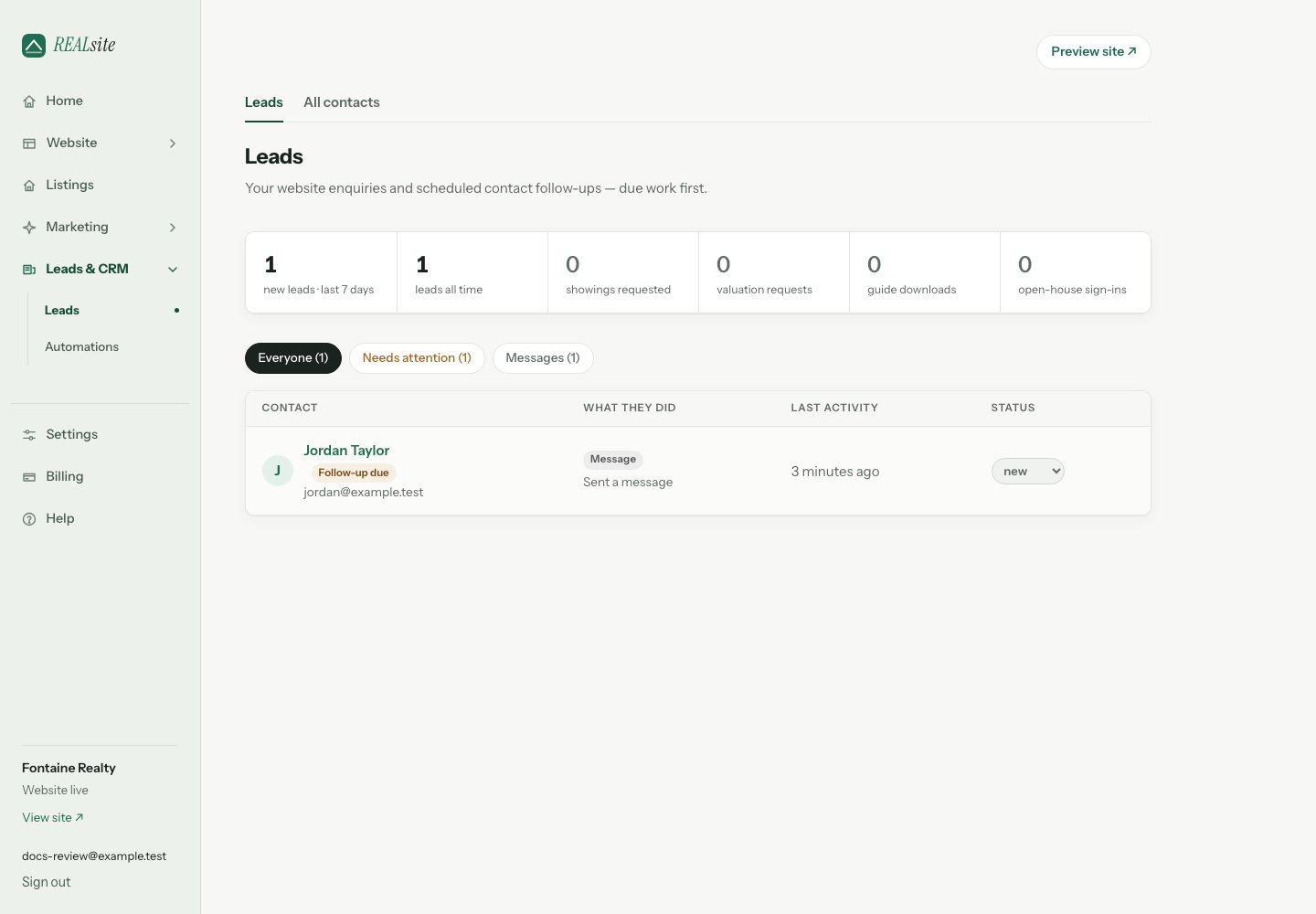
Every lead in one place, newest activity first.
Add a form to your website
When Leads is empty, choose Add a website form to open the form choices in Design. Pick a section, personalize it, then preview and publish your changes. Opening the choices does not add or publish a form. For a dedicated campaign address, choose Create a lead-generation page instead. Both routes send enquiries to the same CRM.What a lead knows about itself
Open any lead and its timeline shows:- Which page raised it — “Sent from: What is your Wolseley home worth?” A lead from an ad’s landing page says so, which is how you learn which campaign is working.
- The browsing trail, when available — recorded visits linked to the enquiry’s browser session, such as homes they viewed. It is not a complete history across every browser or device. Available pages open directly from the trail; a removed listing is clearly marked as no longer available. You call the right person first, already knowing what they care about.
- How they found you — direct, search, social, or sent by an AI assistant.
Working leads
Leads have a status (new through closed), notes for calls and preferences, and repeat submissions from the same email stitch into one contact — a person, not a pile of form fills. Set a Follow-up reminder on any lead for tomorrow, three days from now, next week, or a date you choose. At 8:00 a.m. in your site’s own time zone (set it under Settings), each teammate who receives notifications gets one morning digest listing every reminder due or overdue, plus what the automations did overnight. Quiet days stay quiet; if nothing is due, no digest is sent. Only a hot lead reaches you right away. The inbox works your day for you: leads with a follow-up date due sort to the top. Needs attention includes new enquiries immediately and contact follow-ups due today or earlier, using your site’s time zone. Home, Leads and Contacts use the same definition; closed or spam contacts are excluded. Their due reminders are also excluded from the morning digest. A contact’s marketing-email opt-out does not remove the reminder you set for yourself. New enquiries and due reminders are labelled separately, and heat dots mark who’s hot (a valuation or showing request, heavy browsing, or a newsletter click) so you call the right person first. Filter by what they did — valuations, showings, open houses — or by where they came from: each open house is its own sign-in sheet, each landing page its own campaign.Leads and Contacts — two views of one person
Leads brings together people who raised a hand on your site and contacts with scheduled follow-ups. Contacts without a website enquiry are labelled Contact follow-up. Contacts is your database: everyone on file, with their mailing status at a glance — on your list, not opted in, or opted out. Choose Add contact for someone you met offline: enter their email, with optional name and phone, then open their record to add notes or a follow-up. Adding a contact does not send an email or subscribe them to your mailing list. Import your book of business there as a CSV (they get follow-ups, notes, and calls — but no emails until they opt in on your site), and export everything any time. It’s your data. The two views share one record. The moment a contact fills a form, they appear in Leads — nothing to convert, nothing to copy.Consent, handled
Before you collect mailing-list consent, add your office mailing address once in Settings. REALsite then adds a clear consent checkbox to your public lead forms automatically, with your name, brokerage (when applicable), contact details, and mailing address. The lead still reaches your CRM if the visitor leaves the box unticked; they simply do not join your mailing list. When someone does opt in, REALsite records when and where it happened, the form they used, the exact wording they saw, and the sender details shown with it. A later form left unticked never erases an earlier opt-in. You can choose Stop emailing on a contact at any time. For their protection, you cannot switch marketing email back on from the admin: the contact must opt in again through one of your public forms. If they had previously unsubscribed, REALsite sends a confirmation link to that address before adding it back. The agent does not have to manage this step. Imported contacts can still have notes, calls, and follow-ups, but do not receive marketing email until they opt in. Mark as spam holds the contact’s enquiries and excludes them from marketing email. Their notes and follow-ups stay on the record. Not spam removes that flag; any opt-out or delivery block still applies. These controls support good CASL practices, but they do not replace advice about your own business, existing contact lists, or specific campaigns. Have your final process and wording reviewed by a qualified Canadian legal adviser.The numbers
Analytics shows leads raised alongside site views, which pages raise them, and when AI assistants send you visitors — first-party only, no third-party trackers, nothing to configure.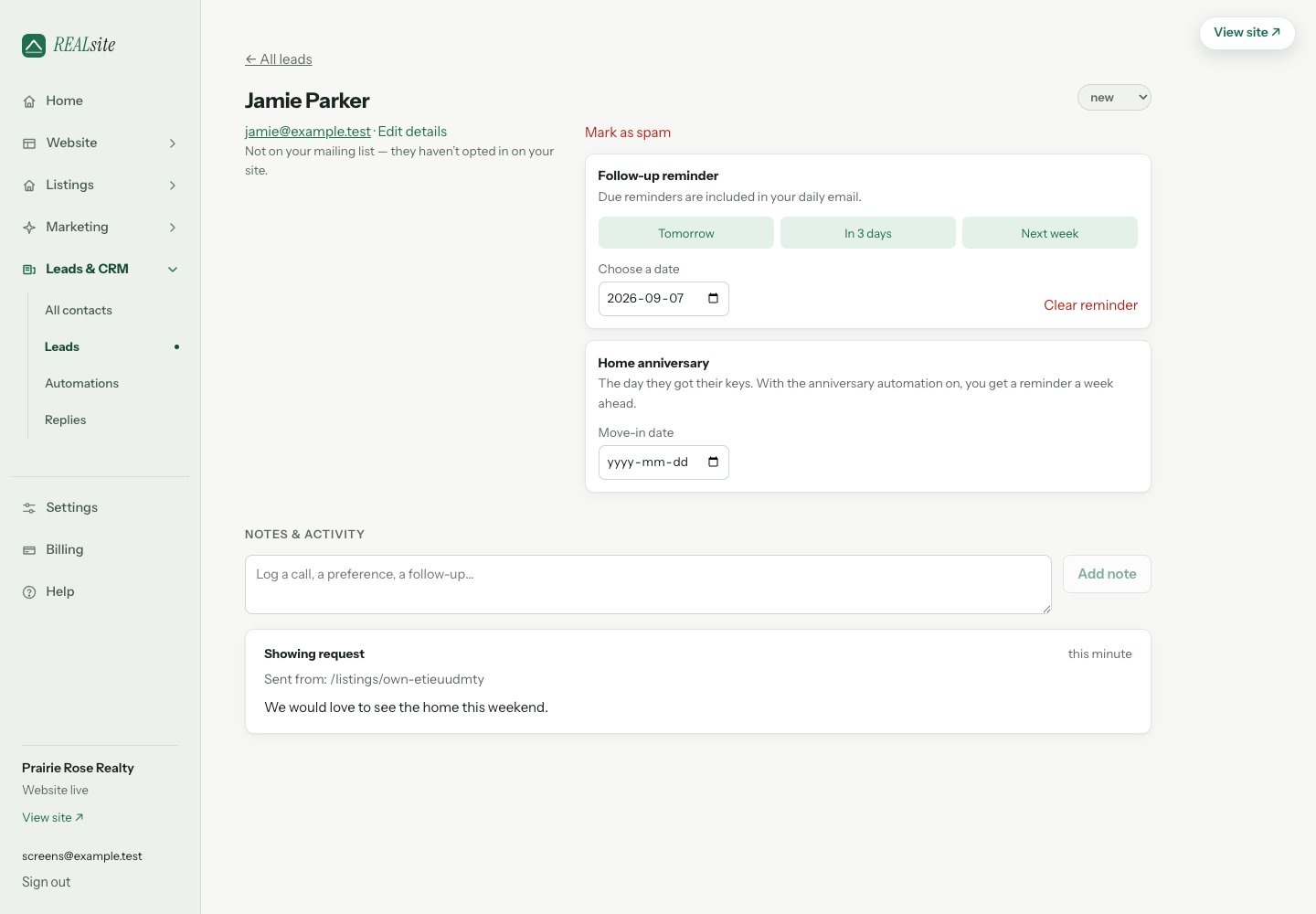
A lead's timeline: which page raised it, and what they looked at before reaching out.